

When setting up SAP Integration Suite, configuration doesn’t end with creating a service instance.
What Is a Service Key in SAP Integration Suite?
To enable secure communication between systems, you also need a service key. This small but essential step provides the credentials required for authentication and ensures that sender systems can connect properly using OAuth. In this post, we’ll walk through how to create a service key and understand what information it contains.
How to Create a Service Key
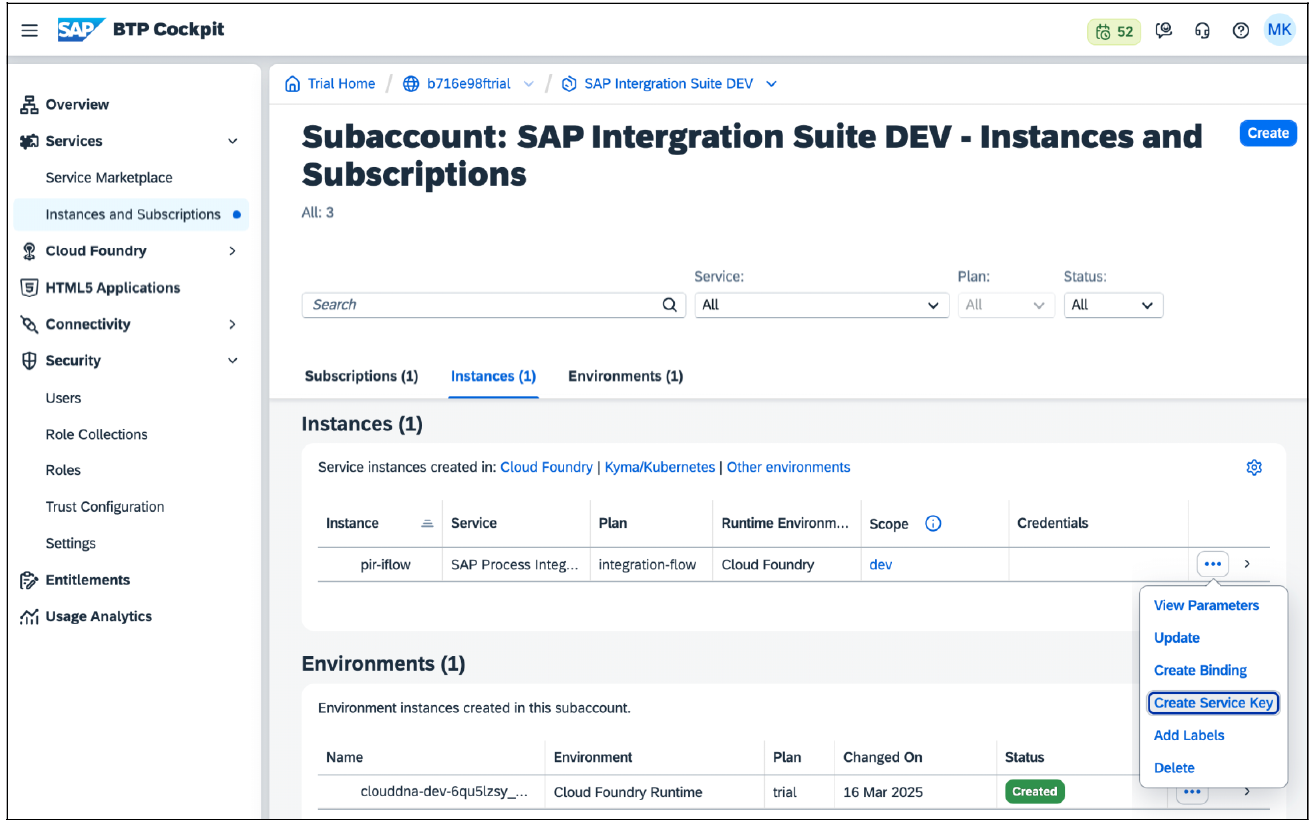
After creating the service instance of the SAP Process Integration runtime service, you must create a service key for this instance. To do so, open the menu of the previously created instance by clicking on the ellipsis button in the instance overview and selecting the Create ServiceKey option.
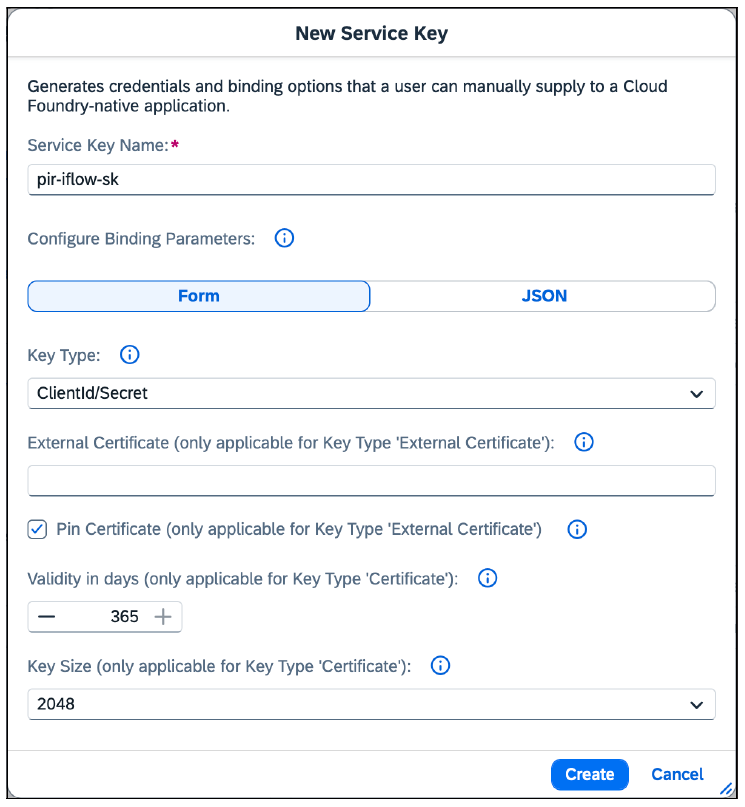
You must assign a unique Service Key Name. Click the Create button to initiate the creation of the service key.
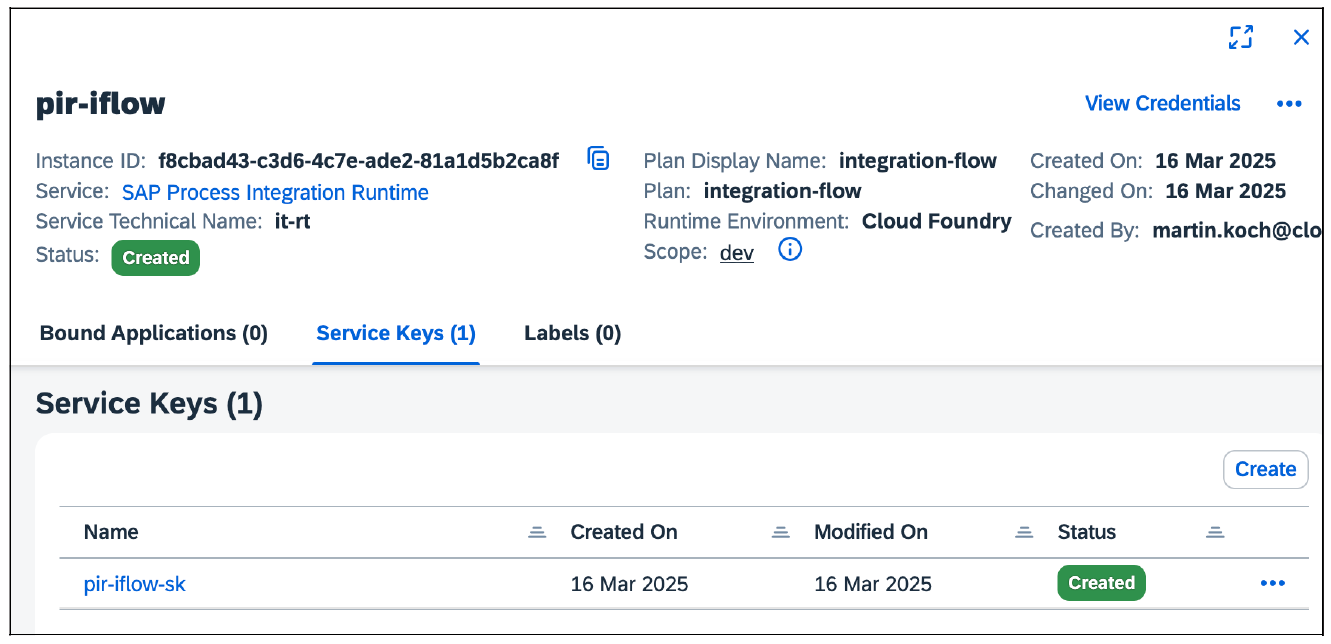
After creating the service key, view it in the service instance details in the Service Keys area. Open the service key by clicking it.
Where to Find and View the Service Key
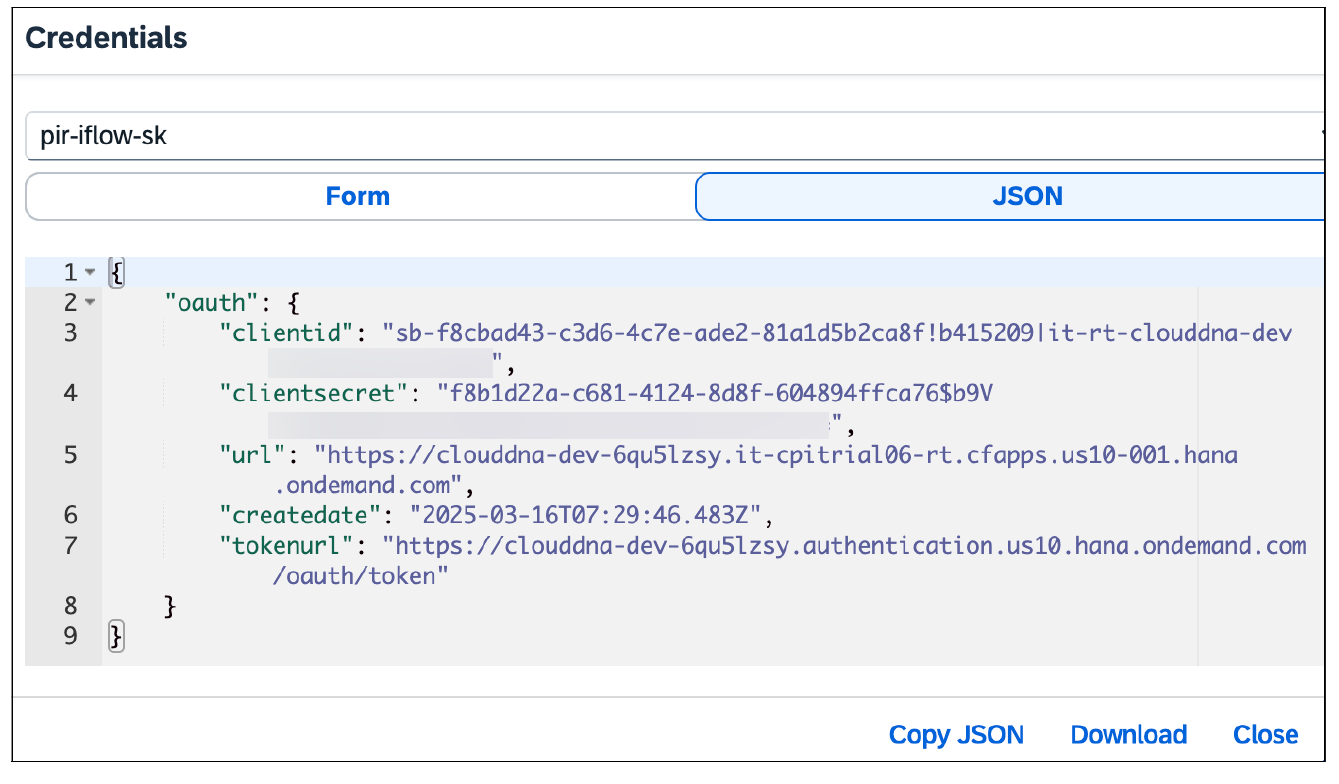
The figure below clearly shows that the service key is in JSON format. It contains all the details that a sender system needs to authenticate itself using OAuth. These include the clientid, clientsecret, url, and tokenurl. You can view the service key again later.
Conclusion
Creating a service key is a straightforward but critical step in configuring SAP Integration Suite. It acts as the secure bridge between your integration runtime and external sender systems by providing the necessary OAuth credentials. Once generated, the service key can be accessed whenever needed, making it easy to reference authentication details without recreating them. With this configuration complete, your integration setup is ready to support secure, authenticated communication.
Learn more about SAP BTP on this page.
Learn SAP Integration Suite with Rheinwerk Courses!
Ready to level up your SAP Integration Suite skills? Explore our full range of SAP Integration Suite online courses, from foundational iFlow design and API management to SAP Process Orchestration migration and integration test automation. Each one is instructor-led (live and on-demand), includes recordings and slide decks, and is designed to give you practical take-away skills you can apply right away in your SAP landscape. Click on the banner below to get started!

Editor’s note: This post has been adapted from a section of the book Configuring SAP Business Technology Platform: The Practical Guide for Administrators by Martin Koch and Siegfried Zeilinger. Martin is the managing director of CloudDNA GmbH, an SAP partner in Austria. Siegfried is a freelancer and managing director of a small management consultancy.
This post was originally published 2/2026.




Comments